Capture more than one letter shape
The template asks for several versions of letters, numbers, and punctuation. This helps repeated letters look natural.

Your own handwriting generator
Turn typed text into your own handwriting. Make your style once, then use it to create PNG and PDF pages.
Your own handwriting is available with Plus and Pro. Fill out the Wrytely template on an iPad to get started.
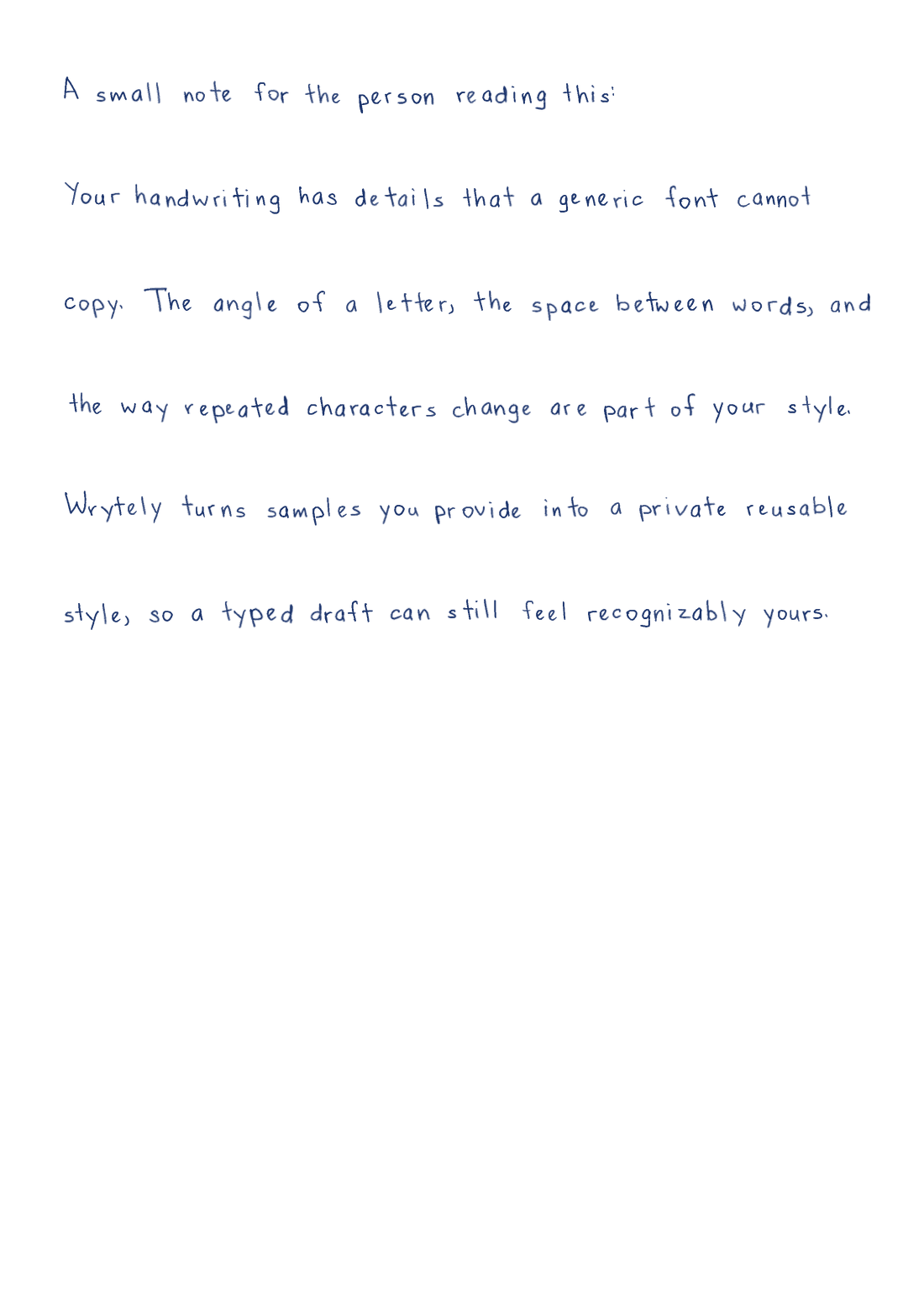
A small note for the person reading this:

Your handwriting has details that a generic font cannot copy. The angle of a letter, the space between words, and the way repeated characters change are part of your style.
This page was made with Akbar's letter samples. It is a real Wrytely PNG.
Made for this job
The template asks for several versions of letters, numbers, and punctuation. This helps repeated letters look natural.
Fill out the template once, check the letters, and save the style to your account for later.
Choose the page, paper, ink, text size, margins, and spacing. Then download PNG or PDF.
How it works
Follow these steps. You can check your text and page before you create the final version.
Use pages 1–3 for normal text. With Pro, you can add the Math pages later without doing the text pages again.
Write inside the boxes, save clear copies of the pages, and upload them to Wrytely.
Check your letters, save the style, choose it in Studio, and type the text you want to use.
Good to know
Wrytely can switch between the letter shapes you gave it, so every repeated letter does not look copied.
Your style is tied to your account. Other customers cannot choose or use it.
You can replace or permanently delete a saved style from your account.
Pro can add your own numbers, signs, Greek letters, and supported Math symbols.
Questions
Fill out Wrytely's handwriting template and upload the pages. Wrytely turns those letter samples into a style saved to your account.
No. Fill out the template on an iPad and upload it. Phone photos and cursive writing are planned for later.
No. A normal font repeats one fixed shape. Wrytely can use several versions of the same letter and make small layout changes.
Plus includes one custom text style. Pro includes up to two custom styles and can add Math. See the Pricing page for prices and limits.
Yes. You can permanently delete a style from your account. You can also ask Wrytely to delete your account and its saved data.
Complete the Wrytely template once, save your personal style, and use it for future pages.
Open the handwriting template