Ascender zone · tall letters
The main body sits on the writing line. The tall stem reaches toward the top guide.
b, d, f, h, k, l, t
Wrytely handwriting template guide
Learn how to complete the Wrytely handwriting template on an iPad, upload three clear pages, and create a reusable personal handwriting style.
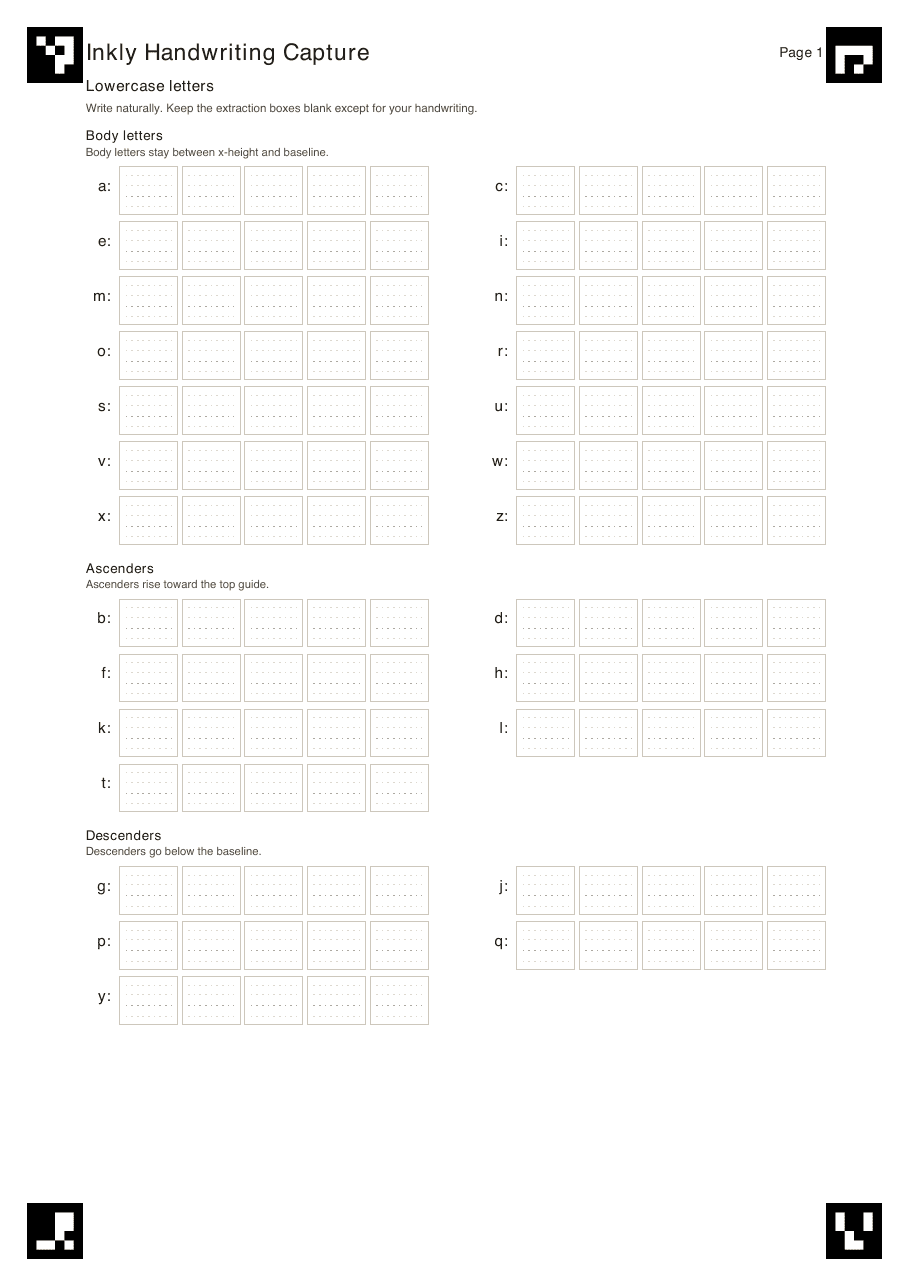
Step by step
Wrytely learns your letters from three pages. Download each page, follow the box guide below, then upload the three finished images.
Write five natural versions of each lowercase letter. The box guide below shows exactly where small letters, tall letters, and tails belong.
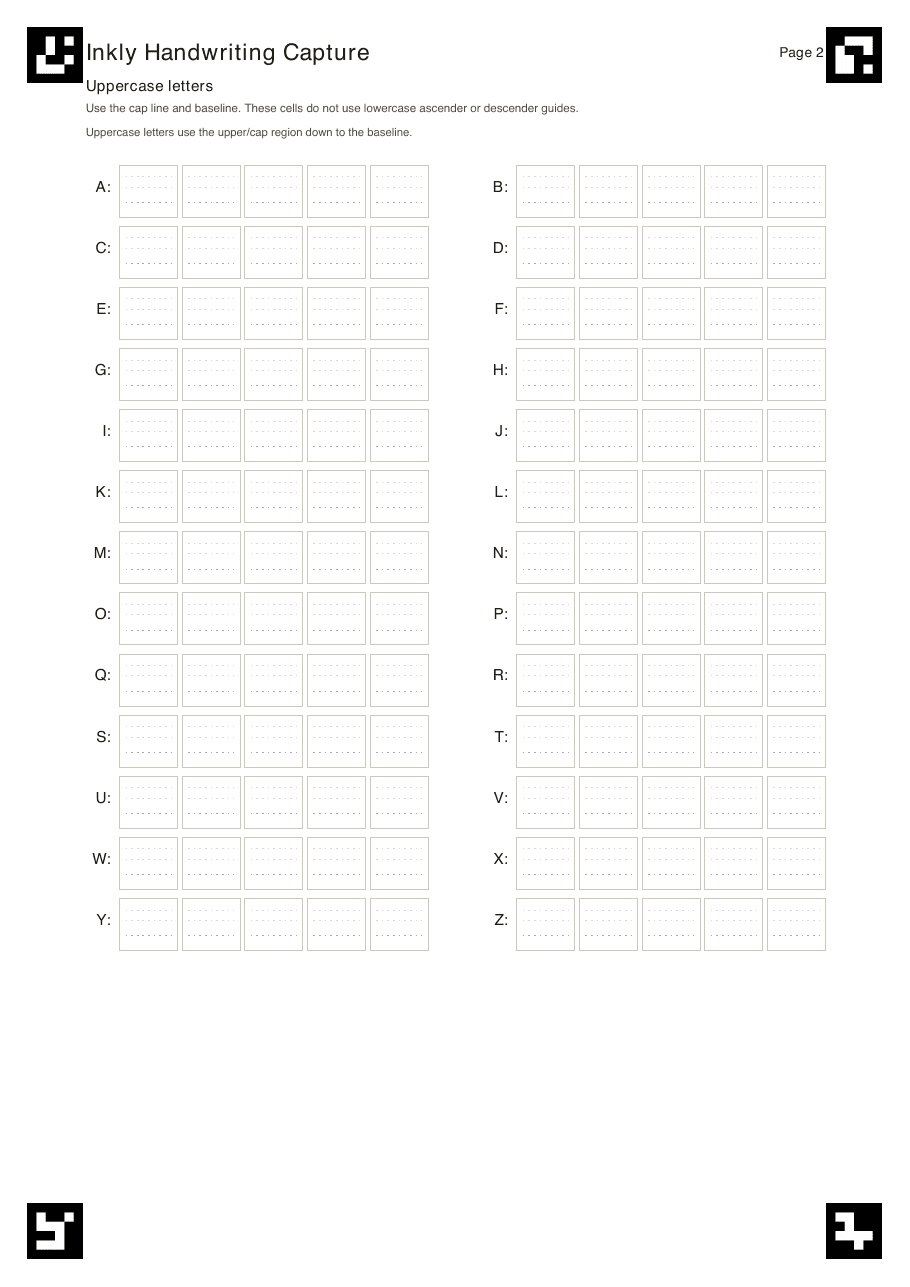
Write each capital letter from the cap line down to the baseline. Use your normal shape and size instead of trying to make every sample identical.
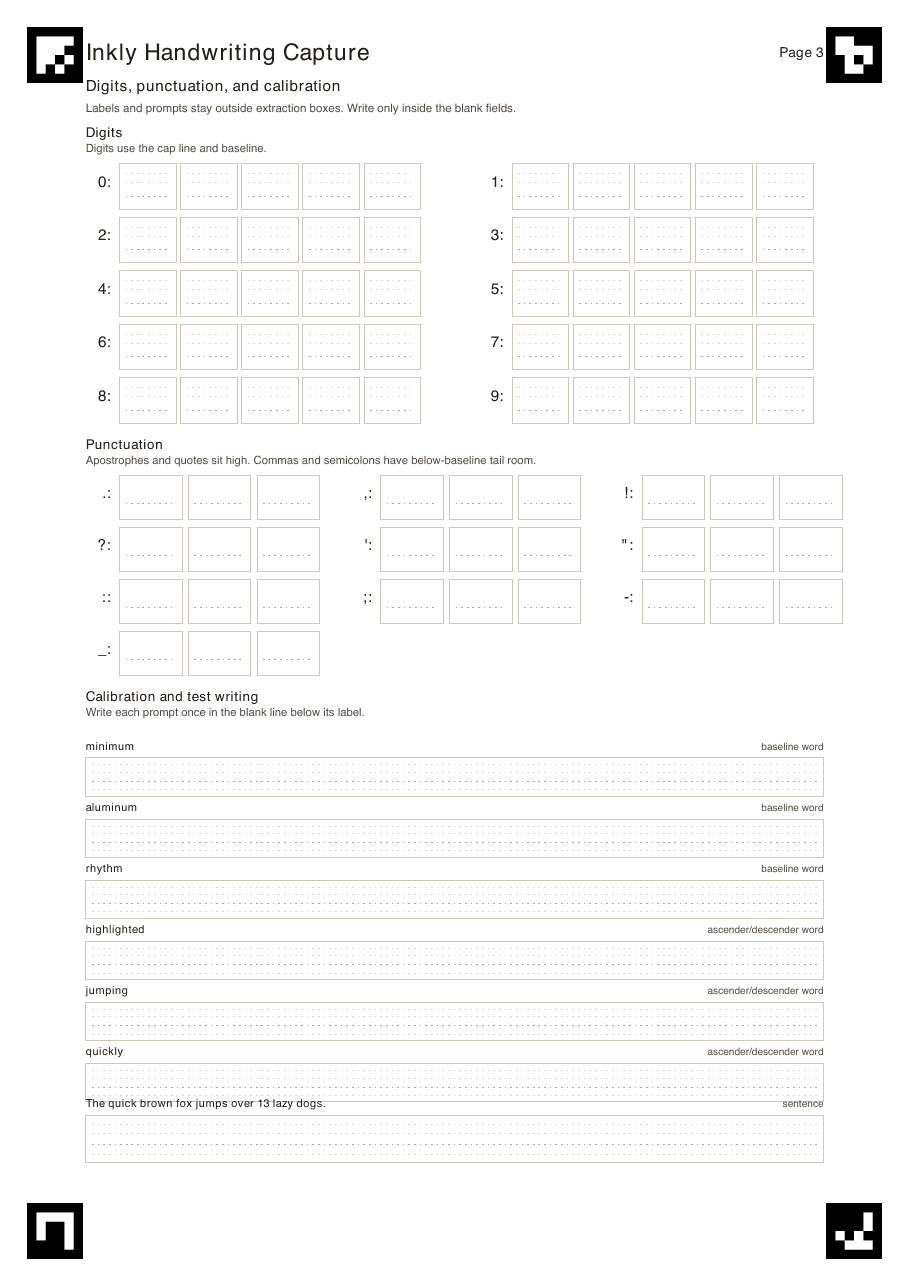
Add numbers, punctuation, sample words, and one natural sentence. These samples help Wrytely space words and finish normal text pages.
How to fill each box
Use the four lines printed inside each box. The examples below show exactly where a small letter, a tall letter, and a letter with a tail should sit.
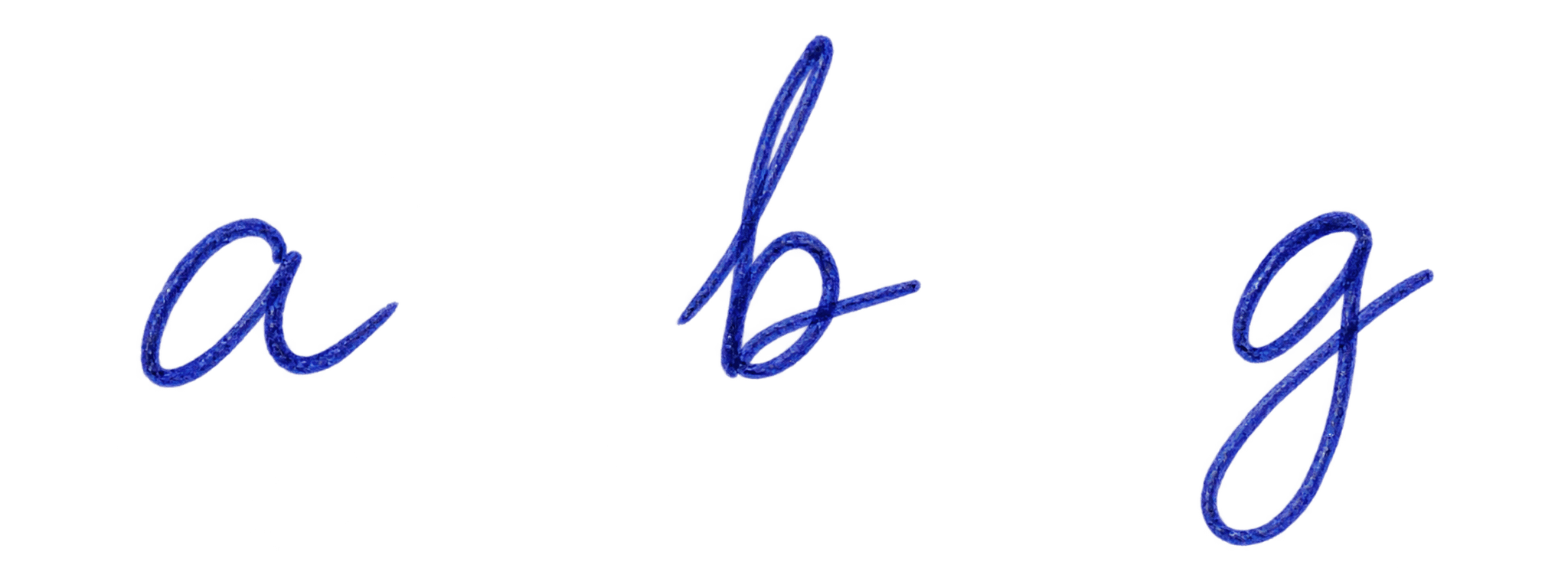
The main body sits on the writing line. The tall stem reaches toward the top guide.
b, d, f, h, k, l, tKeep the whole letter between the middle guide and the writing line.
a, c, e, m, n, o, xThe main body sits on the writing line. The tail drops toward the bottom guide.
g, j, p, q, yWhat the three pages create
After the upload passes review, save the style to your account and choose it in Studio. Wrytely can switch between the letter samples you supplied so repeated letters do not all look copied.
Before you continue
Questions
Complete pages 1, 2, and 3. They collect lowercase letters, uppercase letters, numbers, punctuation, and natural writing samples.
No. Open each PDF on an iPad, write with a stylus, and export each finished page as its own image. Printing and phone photos are not part of the current setup.
Upload exactly three separate JPG, PNG, or HEIC images for a text style. Each file can be up to 8 MB. The upload box does not accept a PDF.
Create and save the text style first. With Pro, return to the upload page, choose the Math extension, and complete pages 4 and 5 for supported numbers, signs, Greek letters, and Math symbols.
Yes. You can replace or permanently delete a saved personal style from your Account page.
Ready
Sign in with Plus or Pro, download the three separate pages, and keep this guide open while you complete them.
Open template downloads