Keep Math and explanations together
Put normal words and equations in one handwritten document. You do not need separate text and equation images.

Math handwriting generator
Turn a solved Math problem into a handwritten page. Keep words and equations together, then download PNG or PDF.
Math Mode is part of Pro. You provide the solved work; Wrytely turns it into handwriting.
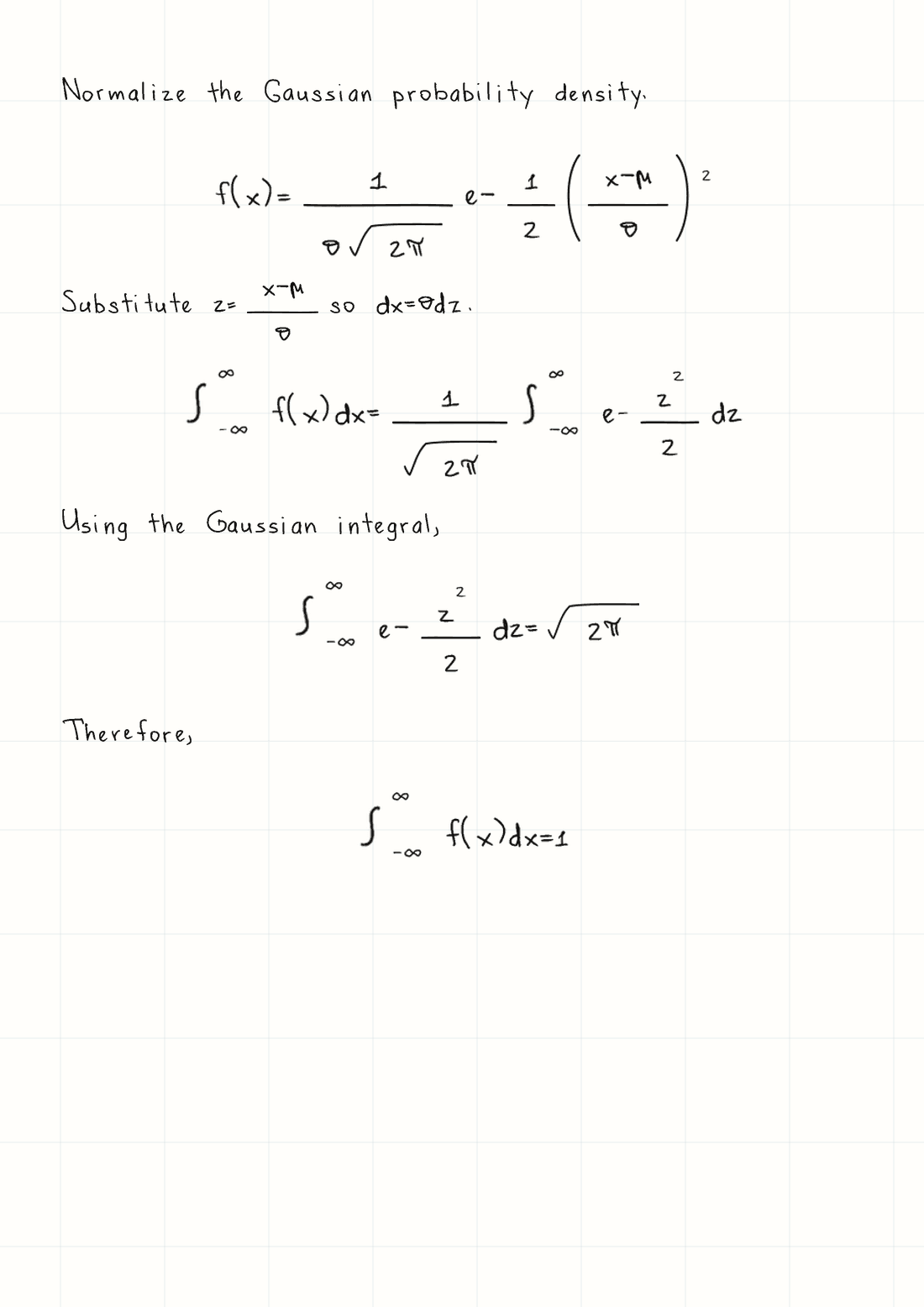
Normalize the Gaussian probability density.
$$f(x)=\frac{1}{\sigma\sqrt{2\pi}}e^{-\frac{1}{2}\left(\frac{x-\mu}{\sigma}\right)^2}$$
Substitute $z=\frac{x-\mu}{\sigma}$ so $dx=\sigma dz$.
The page beside it is a real Wrytely result. It keeps the explanation, fractions, powers, and integrals together.
Made for this job
Put normal words and equations in one handwritten document. You do not need separate text and equation images.
Wrytely supports fractions, roots, powers, subscripts, sums, integrals, vectors, Greek letters, and more.
If part of the Math is not supported, Wrytely skips that part, makes the rest of the page, and shows a warning.
How it works
Follow these steps. You can check your text and page before you create the final version.
Solve the problem first. Wrytely's guide gives you a short prompt that puts the solution in the right format.
Use one dollar sign on each side of short Math. Use two on each side of a full equation. Split long equations into shorter steps.
Choose the handwriting, paper, ink, page size, and spacing. Check any warnings, then download PNG or PDF.
Good to know
Use fractions, roots, powers, subscripts, brackets, simple cases, vectors, sums, products, and integrals.
Break long work into short steps so every line fits on the page and stays easy to read.
Choose how much explanation you want, then copy the prompt that prepares solved work for Wrytely.
With Pro, numbers, signs, Greek letters, and other supported Math can use your own writing samples.
Questions
No. Wrytely writes the solution you give it. It does not calculate or check the answer.
Turn on Math Mode. Put short Math between single dollar signs and full equations between double dollar signs. The built-in guide gives you a prompt to copy.
Wrytely skips the part it cannot use, makes the rest of the page, and shows a warning.
Yes. Pro customers can create a personal text style and complete the separate Math extension pages. Supported Math characters then come from that personal style where available.
Yes. Download a finished Math page as PDF or PNG. It will match the page shown in Studio.
Paste a solved problem, prepare the Math, choose the page, and download the finished result.
Open this Math example